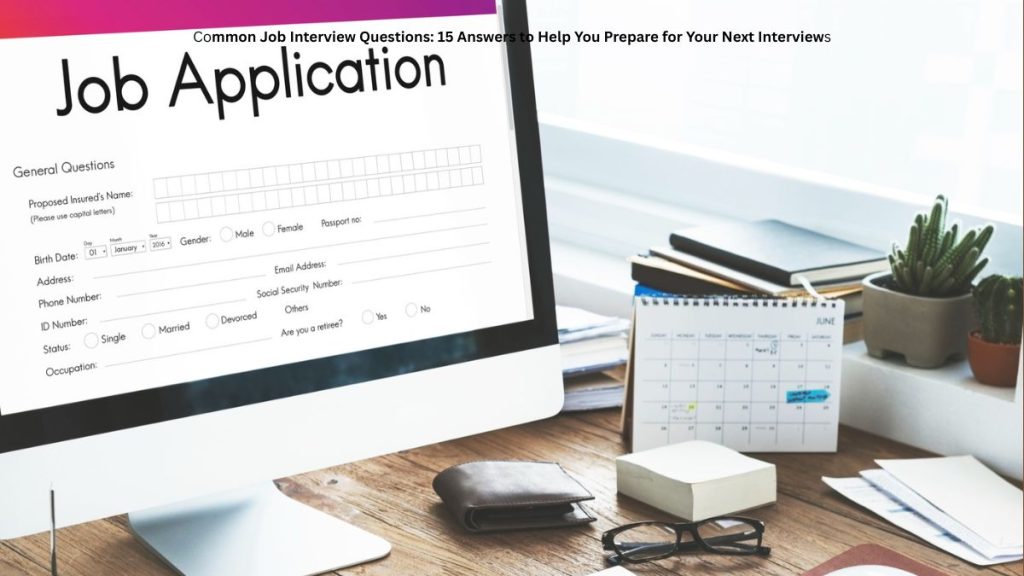
No Money to Make a CV? South African Job Seekers Can Start With These Free Options
Looking for work is already stressful, especially when you do not have money to pay someone to prepare your CV. For unemployed South Africans, recent matriculants and young people applying for learnerships, even the cost of getting a professional-looking document can feel like another obstacle.
However, you do not have to spend money before you can start preparing your job application. Free document templates and online CV tools can help you create a CV using a smartphone or computer.
The important thing is knowing which type of CV you need, what information to include and how to avoid paying for a service when a free option may be enough.
This guide explains how South African job seekers can prepare their own CVs, where to look for free templates and what to check before sending an application to an employer.
You May Not Need to Pay Someone to Create Your CV
A common mistake among first-time job seekers is believing that a CV must have an expensive design to look professional.
In reality, a CV needs to present relevant information clearly. Employers should be able to identify your qualifications, skills, experience and contact details without struggling to read the document.
A simple layout with clear headings can work well for many entry-level positions, including retail assistant, general worker, cleaner, warehouse assistant and administrative support roles.
Before paying for a CV-writing service, consider whether you can prepare the document yourself using a free template.
You can start with a blank document, use a template from a word-processing application or try an online CV builder. Always check the download conditions because a service may offer free editing but charge for certain downloads or features.
Where South African Job Seekers Can Find Free CV Tools
The following services provide starting points for people who want to prepare a CV without immediately paying for professional assistance.
CV ZA
CV ZA provides an online CV-building option aimed at South African users. It may be useful for someone who wants guidance while filling in the different sections of a CV.
Visit: https://cvza.co.za/
Tonex Management Solutions
Tonex Management Solutions offers a CV builder with template options and document downloads. Check the current terms to confirm which features and downloads are free.
Visit: https://tonexms.co.za/free-tools/cv-builder/
Qarera
Qarera provides South African CV template resources intended to help job seekers organise their qualifications, skills and experience.
Visit: https://www.qarera.com/resume-templates/south-african
CV Online SA
CV Online SA provides online CV-related tools and templates for different types of job seekers. Review its current pricing and download conditions before choosing a template.
Visit: https://cvonline.co.za/
Important: These are independent services, not government employment agencies. Their features, prices and terms can change. Do not assume that every template or download is free without checking first.
Which CV Should You Use If You Have No Work Experience?
If you have never held a formal job, you do not need to copy the CV of someone with ten years of employment history.
Instead, choose a layout that gives enough space to explain your education, skills and relevant activities.
For example, a person who has completed Grade 12 and wants to apply for a retail position could organise their CV as follows:
- Full name and contact details
- Short personal profile
- Highest completed qualification
- Relevant skills
- Genuine volunteering, school activities or practical experience, if applicable
- References, if requested by the employer
Your personal profile should be short and truthful.
For example:
“I am a motivated entry-level job seeker with a Grade 12 qualification, good communication skills and a willingness to learn. I am looking for an opportunity to develop workplace experience and contribute positively to a team.”
Only use this example if it accurately reflects your circumstances. Change it to match your actual qualifications and strengths.
Do not invent previous employment, computer skills or certificates simply to make your CV appear stronger.
What If You Only Have Grade 10 or Grade 11?
Leaving school before completing matric does not mean you cannot prepare a CV.
Your document should clearly state your highest completed grade and any other genuine qualifications or training you have completed. You can also include relevant practical skills, provided you can explain or demonstrate them honestly.
When applying for a vacancy, read the requirements carefully. Some employers accept applicants with Grade 10 or Grade 11, while others require Grade 12, a particular certificate or previous experience.
A good CV cannot replace a qualification that an employer makes compulsory. However, a clear document can help you present your actual background when you meet the requirements of the opportunity.
How to Make Your CV Using Only a Smartphone
You do not necessarily need a laptop to prepare a job application. A smartphone can be enough if you have access to a suitable document application or online CV builder.
Step 1: Choose a simple template.
Look for a readable design with clear headings and enough space for your information. Avoid templates filled with decorative graphics that make the text difficult to follow.
Step 2: Enter your real information.
Add your name, telephone number, professional email address, qualifications and relevant experience. Double-check every detail.
Step 3: Match your CV to the vacancy.
If you are applying for a warehouse job, highlight relevant skills such as stock handling or following instructions if you genuinely have them. For a receptionist position, communication and administrative skills may be more relevant.
Step 4: Check the finished document.
Read the CV from beginning to end. Remove sample text, correct spelling mistakes and confirm that the contact information is accurate.
Step 5: Save the file.
Use a clear filename such as FirstName-Surname-CV.pdf. If an employer requests a Word document, prepare and submit that format instead.
Step 6: Check the application instructions.
Make sure you know whether the employer requires an online application, an email attachment or another submission method.
Protect Yourself When Using Online CV Builders
Free tools can be useful, but job seekers should take care when sharing personal information online.
Before uploading your details, check whether the service explains how your information is collected and used.
Consider these precautions:
- Do not enter banking passwords or payment card details into a CV template.
- Avoid including your full ID number unless a legitimate application process specifically requires it.
- Do not publish unnecessary sensitive personal information on a CV.
- Check whether the website charges for downloads, premium templates or subscriptions.
- Avoid services that promise guaranteed employment in exchange for money.
- Save a copy of your completed CV so you can update it later.
A website that offers a free template is not automatically a government-approved service. Verify the organisation before sharing sensitive documents.
A Simple CV Checklist Before Applying for a Job
Before submitting your application, take a few minutes to check the following items.
| What to check | Why it matters |
| Correct phone number | Employers need a way to contact you |
| Professional email address | Helps keep your application organised |
| Accurate qualifications | Prevents misleading information |
| Relevant skills | Shows your suitability for the vacancy |
| Correct spelling | Makes the document easier to read |
| Appropriate file format | Follows the employer’s instructions |
| Vacancy requirements | Helps you confirm your eligibility |
A useful additional step is to ask a trusted person to read your CV before you send it. A second reader may notice mistakes you missed.
Frequently Asked Questions
Are free CV templates available in South Africa?
Yes. Some online services and document applications offer templates or CV-building tools at no cost. Check the current terms to confirm whether editing and downloading are both free.
Can I make a CV without paying a professional?
Yes. You can prepare your own CV using a suitable template. Focus on presenting accurate information in a clear, organised format rather than spending money on decorative designs.
Can I use the same CV for every job?
You can keep one main CV, but it is useful to adjust the relevant skills and profile for each application. Never change your qualifications or experience to match a vacancy if the information would be false.
Does a professional CV guarantee employment?
No. A CV is one part of the application process. Employers also consider their requirements, the applicant’s suitability, available positions and other selection criteria.
Final Advice for Job Seekers
If you are unemployed and working with a limited budget, do not let the cost of a CV stop you from preparing for suitable opportunities.
Start with a free template, enter your genuine information and make sure the finished document is easy to read. Choose a format that suits your background, whether you have just completed school, are seeking a learnership or already have work experience.
Most importantly, spend time checking your CV against the requirements of each vacancy before applying.
Publishing transparency: This article provides general CV-preparation guidance and identifies independent online tools. It does not represent a government announcement, guarantee a job or claim that any particular template will secure an interview. Readers should verify current service terms and individual vacancy requirements before taking action.